A catalogue table size can still leave the held blank outside the cutter’s reach, and the first sheets become rejected parts. This CNC router buying guide specifies the machine from the workpiece, the published table and Z figures for the offered build, and a sample cut on that setup.
A factory CNC router purchase should be specified from the finished part backward: material and blank, required operations, drawing checks, workholding, tools and the delivered production workflow. This guide provides a workpiece-to-configuration matrix, a delivery-scope register and a sample-cut record. Automatic-tool-change spindle interfaces have their own linked guide.
| Input or item | Typical value or source | Why it matters |
|---|---|---|
| Finished part | Your drawing and a reference part | Sets the features the sample has to show |
| Blank | Your sheet or block, with the grade written down | The fit check uses this outline, not a series name |
| Apex3R Evo table sizes | 103: 54 × 100 in (1346 × 2489 mm); 204: 64 × 121 in (1626 × 3073 mm); 304: 84 × 121 in (2133 × 3073 mm); 405: 105 × 145 in (2667 × 3683 mm) (MultiCam) | Plan-view fit is a comparison with one of these pairs |
| Z and thickness | Z-axis clearance 6-8 in; maximum material thickness up to 5 in / 127 mm | A sheet that fits the table can still hit the gantry |
| Spindle option | Collet and ATC options from 5.5 to 13.4 HP | Verify the exact rated RPM curve on the vendor’s spindle quotation |
| Motion ratings | Cut speed up to 1,950 IPM (49.5 m/min); rapid traverse 2,758 IPM (70 m/min); repeatability +/- 0.001 in / 0.025 mm | These are motion figures. Accepted parts per hour come from a timed cycle |
| Work surface and mass | 1 in / 25 mm phenolic surface; weight band 3,150-4,400 lb (1,428-1,995 kg), not split by size | The surface is a wearing face. The weight band is a moving load |
| AccTek bed range | 24 × 36 in (600 × 900 mm) at the small end; over 10 × 20 ft (3000 × 6000 mm) at the large end. Page date 16 October 2024 | Shows how wide “router size” is before a model page is opened |
Which part and operation sequence define the requirement?
Write the part down before you open a table-size list. AccTek’s guide treats workpiece size, material, operation complexity, and production volume as the inputs that set bed size and spindle demand. It does not name a horsepower for wood, aluminum, or steel. TechPro’s types page sorts wood, foam, and plastic toward a wood router, stone toward a stone router with water cooling, and metal toward a metal-configured router or a turning and milling center. Those are sorting labels. Your drawing still names the operations.
| Workpiece input | What you write down | Dominant failure mode | Prevention |
|---|---|---|---|
| Material and stock | Grade, thickness, sheet or block | The wrong material family is cut on a light build and the edge burns or the spindle stalls | Match the stock to the builder’s stated material class, then cut that stock in the sample |
| Blank outline | Length, width, and how it is located | Clamps cover a feature that the table label still appeared to include | Add holding allowances before you compare the blank with a published table pair |
| Drawing features | The holes, profiles, and faces that decide acceptance | A demo pocket passes while a required bore is missing | List every operation the accepted part needs |
| Tool list | Each cutter, drill, knife, or tap the job uses | The collet still holds the previous tool | Give every tool a change method on the offered build |
| Batch | Which parts share the setup | One easy sample stands in for a different blank | Record the part each sample is allowed to represent |
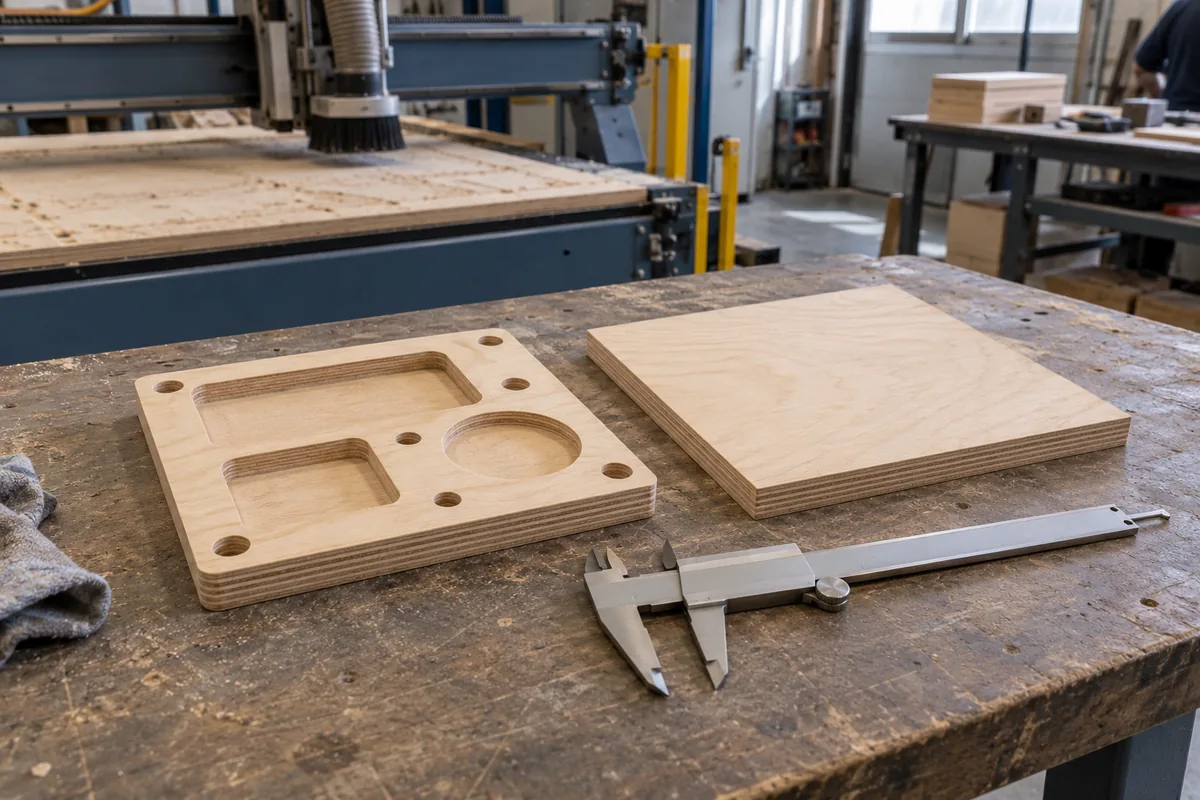
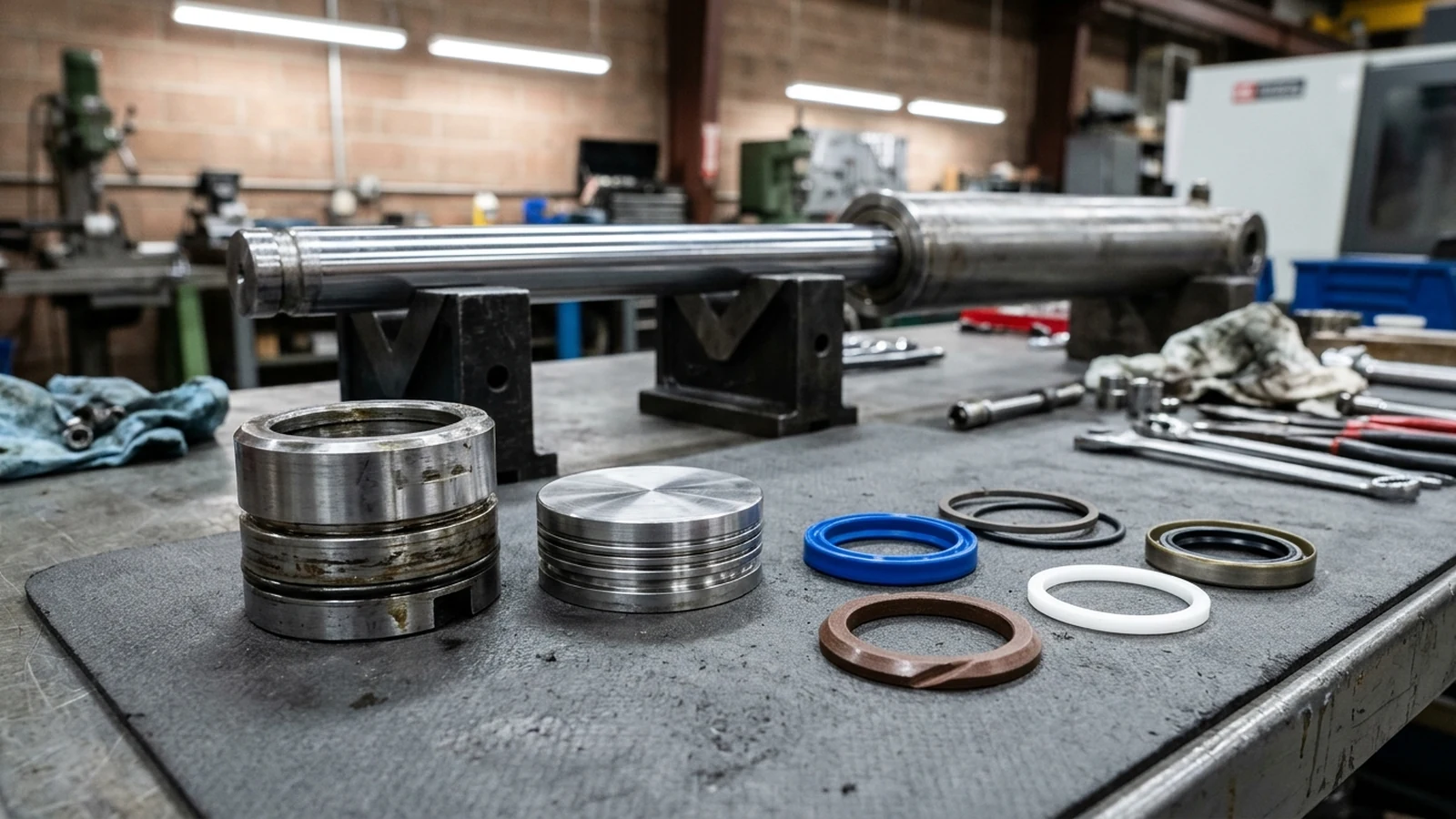
Example of a finished sample beside the blank it has to come from. The caliper is there because acceptance is a measurement, not a photo of the gantry.
Select two parts when the job family mixes a large profile with a second operation such as a bore or a tap. MultiCam prints an option for up to 10 tap sizes in one job on the Apex3R Evo. That sentence is about the option. It becomes your requirement only when tapping is on your drawing and the offer includes the tapping kit.
Start with the part, then identify its operations and the configuration to be evaluated.
Takeaway: A released part and operation list define the machine evaluation.
How should working area and workholding be checked?
Compare the held blank with one published table pair, then check the vertical stack on its own. AccTek separates the cutting bed from the floor space around it, including loading and dust-collection equipment. MultiCam prints the Apex3R Evo table sizes and, in the same block, a Z clearance and a material-thickness ceiling. The page also says features are subject to change without notice, so the offer has to name the size code you are buying.
Required span = blank dimension + allowance at one end + allowance at the other end
Treat workholding as part of the sample-cut configuration. Retain its identity and setup description in the trial record so a successful part is not detached from the holding arrangement that produced it. Have the equipment supplier and responsible site staff review the technical arrangement.
The material-handling desk offers general reading on loads, movement routes and handoff scope. Apply those questions using the router supplier’s project layout. A machine that fits the blank still needs a site plan for loading and access; use actual supplier drawings rather than generic clearance values.
Required short span = 48 + 2 + 2 = 52 in.
Apex3R Evo size 103 is 54 in by 100 in. The 102 in span is longer than 100 in, so this sketch does not fit size 103. Leftover bed on the 100 in side with a 96 in blank is 100 − 96 = 4 in, and the 6 in of end allowance is larger than that leftover.
Size 204 is 64 in by 121 in. The 102 in span fits the 121 in side, with 121 − 102 = 19 in left over. The 52 in span fits the 64 in side, with 64 − 52 = 12 in left over. Turn the sheet the other way and the 102 in span has to sit on the 64 in side, which is too short. Write the load direction on the supplier drawing.
Rule of thumb: If leftover length under 4 in on the 100 in side of size 103, a 3 in allowance at each end of a 96 in blank does not fit. The clamps would occupy bed the cutter still has to reach, and the sheet is rejected or cut in a second setup.
Rule of thumb: If blank thickness exceeds 5 in, it is outside the maximum material thickness printed for the Apex3R Evo on 18 October 2026. If measured stack exceeds 6 in, the spoilboard, blank, and tool projection are past the low end of the published 6 to 8 in Z-axis clearance. Ask which figure inside that 6 to 8 in band the offered build uses. The 1 in phenolic work surface is printed separately. The page does not say whether that inch sits inside the Z clearance, so that line stays blank.
The weight band on the same page is 3,150 to 4,400 lb, and it is not split by table size. Use the material-handling desk for the route that has to move that mass and the sheets. The desk does not choose the table size.
Takeaway: Fit the held blank to a named table pair, then fit the stack to the printed Z band.
Which spindle and tool-change questions belong in the offer?
List the tools, then ask which spindle option and which change method the offer includes. The Apex3R Evo options list collet and ATC spindles from 5.5 to 13.4 HP, a linear automatic tool changer, and a knife and rotary tool changer. The same page lists an electric oscillator knife with a 2 mm or 5 mm stroke as an option. None of those lines prints a spindle speed. Leave rpm blank until the offer or the spindle document prints it.
| Job requirement | Question for the offer | Dominant failure mode | Prevention |
|---|---|---|---|
| One tool for the whole part | Which collet spindle in the 5.5-13.4 HP span is on the offer? | A horsepower label is accepted with no tool geometry | File the spindle document next to the tool list |
| Several tools | Is the changer in the offer, or is the change manual? | The previous tool stays in the spindle | Record the change sequence in the sample |
| Tapping | Is the tap kit included, and which of the “up to 10” sizes are in the build? | A tap size on the brochure is missing from the carousel | Write the tap sizes into the tooling schedule |
| Knife or oscillating cut | Is the 2 mm or 5 mm stroke head included? | A routed edge is accepted where the drawing calls for a knife cut | Put the knife in the sample if the part needs it |
| Non-ferrous metal | Is the coolant mist system, listed as an option, in this build? | A dry aluminum cut is judged by a wood sample | Cut the alloy you buy, with the mist status written down |
Use the ATC spindle interface guide when the offer includes automatic changing. The written-confirmation list and the interface owner table name the tool, drive, control, cooling, and utility documents. A matching horsepower figure does not close those interfaces.
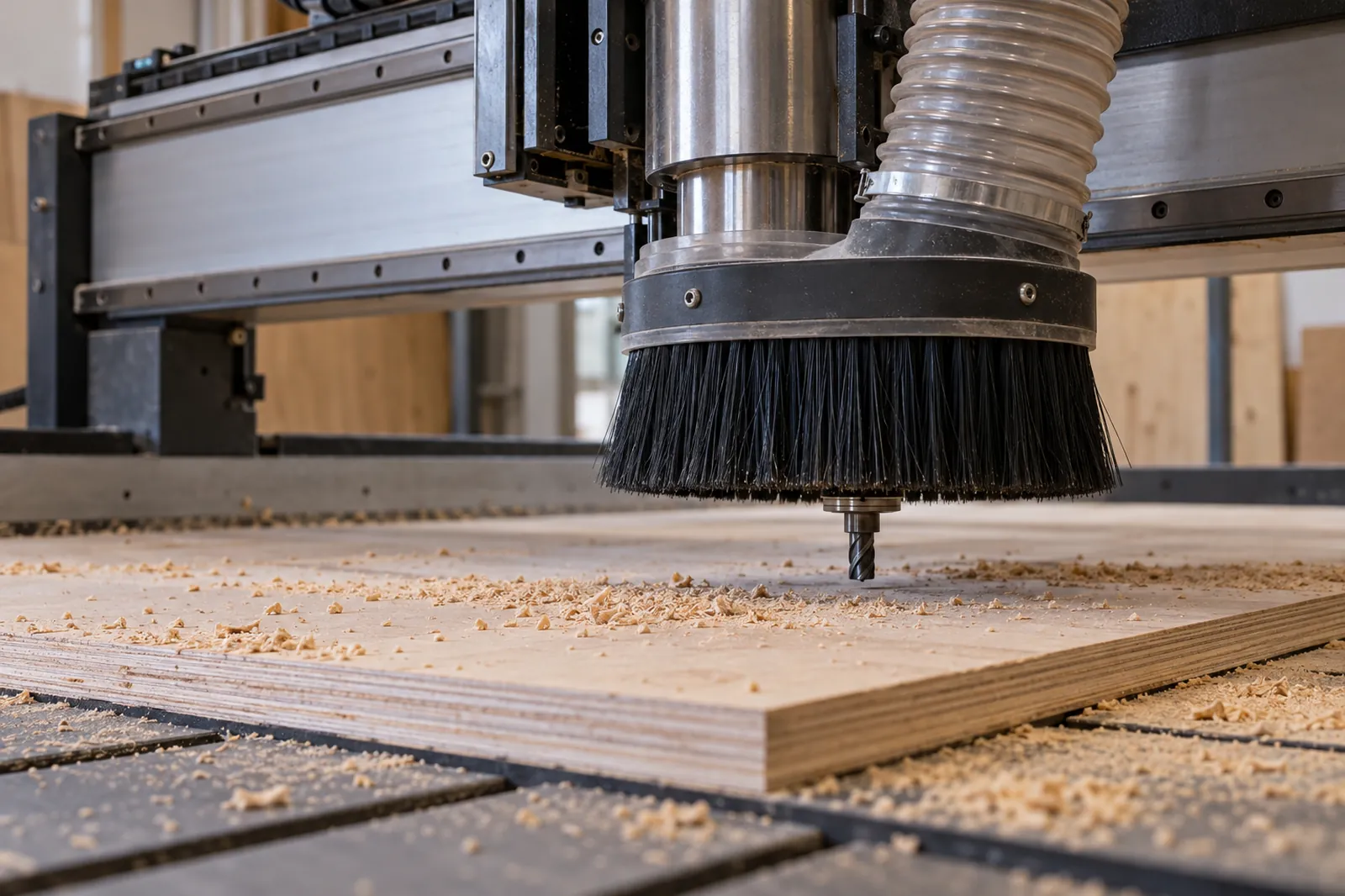
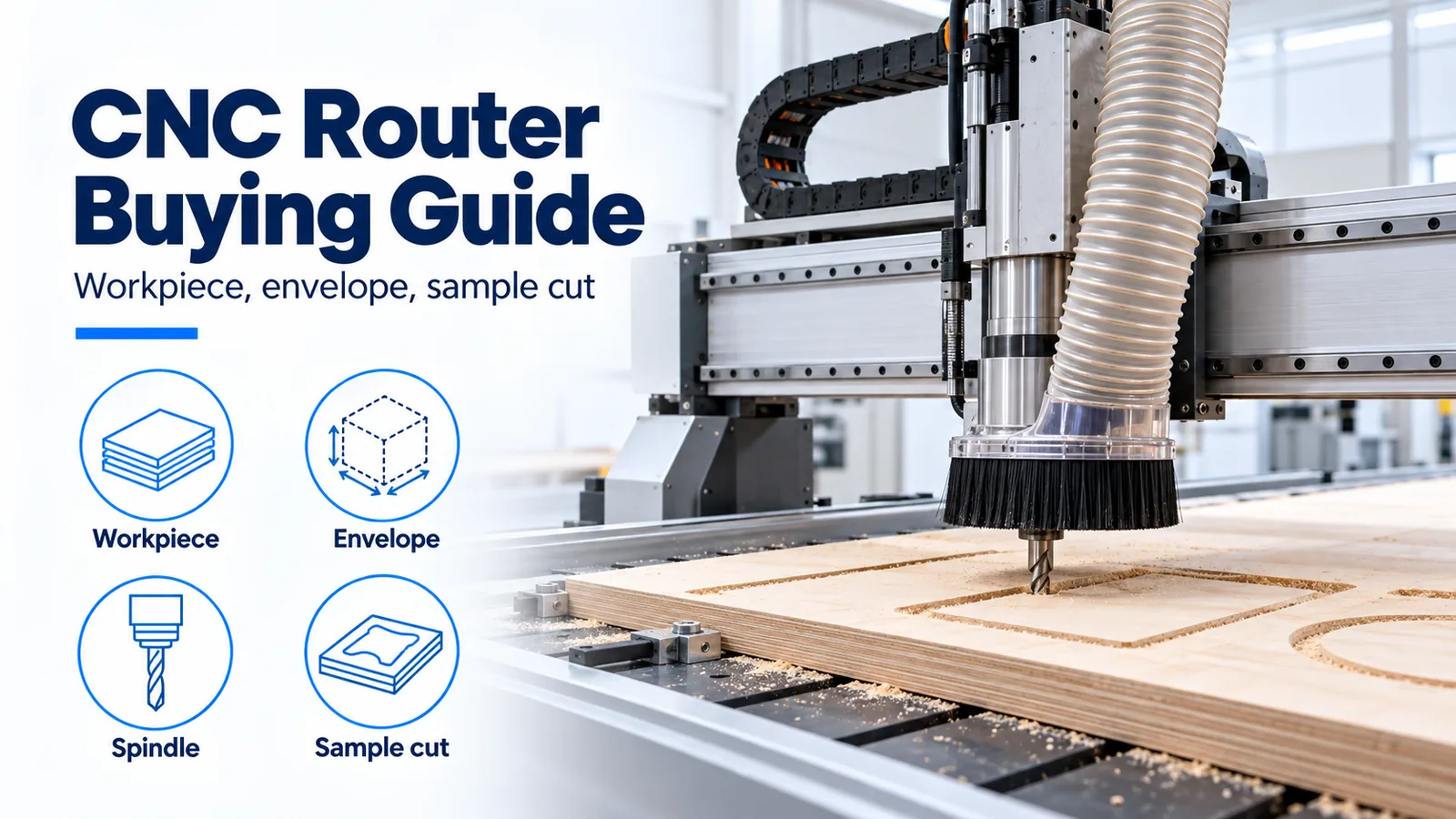
Example of a spindle and dust boot over plywood. The boot is a head-mounted pickup. It is not the plant collector, and the machine in the photo is not a named model.
Common mistake: Treating an option line as equipment on the offered build. Name the spindle, the changer, and the knife as lines with a status of included or excluded.
Takeaway: The tool list has to land on a spindle and a change method that the offer actually includes.
How will the digital workflow be demonstrated?
Run one of your files to a part. AccTek lists software support for complex files as a selection input and does not name a package. MultiCam lists EZ Suite and “unlimited file size transfer” among Apex3R Evo standard features, and it lists a MultiCam EZ Control operator interface. The postprocessor name, the license count, and the control version are not on that page. Those three stay blank until the offer fills them.
| Stage | You provide | The offer identifies |
|---|---|---|
| Drawing | Revision in the file name | Accepted input format |
| Toolpaths | Operations from the drawing | CAM package and version, EZ Suite if that is the offered path |
| Machine program | Target control | Postprocessor name and the program that ran the sample |
| Execution | Blank, tools, holding | The build that was actually on the floor |
| Inspection | Drawing checks and units | Readings stored with the sample id |
An imported drawing on a screen is not the entire workflow. Ask who is responsible for the software, licenses, postprocessor and any machine-specific setup in the delivered package. Retain the relevant versions and sample files in the buyer’s project record.
The buying-guides desk is where a proposal’s evidence is lined up against the same scope questions. Use it to keep the software version in the same record as the table size.
The purchasing test follows the proposed file-to-part workflow.
Takeaway: Demonstrate the proposed file-to-part path and identify who supplies each stage.
What is the complete machine delivery scope?
Compare equipment offers using an explicit scope status for each item. A machine price without tooling, holding, extraction, software or site-work boundaries is a different proposition from a supported production package. The purpose of this register is to expose the difference across competing quotes.
| Scope item | What the 18 October 2026 page says | What you still record |
|---|---|---|
| Frame and drives | All-steel tube frame, helical rack on X and Y, ball screw on Z | The size code on the offer |
| Dust | Motorized dust boot is standard, with quick-release bristles | Who supplies the collector, duct, and airflow the boot needs |
| Vacuum | Vacuum table and pumps are options | Included or excluded, and the spoilboard the sample used |
| Mist | Integrated misting nozzle is standard; coolant mist for non-ferrous is an option | Which one is on the offered build |
| Spindle and changer | 5.5-13.4 HP collet or ATC; changer is an option | Exact spindle document and change hardware |
| Software | EZ Suite listed as standard | Version, license, and postprocessor |
| Mass and site | 3,150-4,400 lb, not split by size | Route, floor, and power from the install sheet. Floor loading is not printed here |
| Training and support | MultiCam describes service partners and uptime support | Hours, place, and documents in the offer |
Copy each row into a project register with a status of included, excluded, or unresolved, and a named owner. The descriptions above are the catalog baseline. The offer document sets the status of each row.
A later spindle failure sits outside this purchase. The spindle repair versus replacement cost scope keeps repair evidence, replacement evidence, and downtime on one worksheet after the machine is in production.
Takeaway: Compare the delivered list, including pumps, mist, software, and the collector, with the table size.
What should a sample cut prove and record?
The sample proves the agreed drawing checks on the agreed build. MultiCam prints repeatability of +/- 0.001 in (0.025 mm) and a cut speed of up to 1,950 IPM. Keep both figures with the motion specification. Measure the part against the drawing. A motion repeatability figure does not replace those readings.
Nests per hour = 60 / cycle minutes
Cycle minutes = cut minutes + load minutes + tool-change minutes + check minutes
Worked example using a buyer stopwatch. The 1,950 IPM rating stays in the motion row. One nest takes 6 minutes of cutting, 4 minutes to load, three manual collet changes at 1.5 minutes (4.5 minutes), and 2 minutes to check.
Cycle minutes = 6 + 4 + 4.5 + 2 = 16.5
Nests per hour = 60 / 16.5 = 3.64
If size 103 forces a second load of the same sheet, load minutes become 8 and the other three terms stay as assumed.
Cycle minutes = 6 + 8 + 4.5 + 2 = 20.5
Nests per hour = 60 / 20.5 = 2.93
The gap on these assumptions is 3.64 − 2.93 = 0.71 nests per hour. That is the hidden time cost of a table that does not hold the blank. It is not a price, and it is not a MultiCam output claim. Replace every assumed minute with the time you record on the sample.
| Trial entry | What to file |
|---|---|
| Input | Drawing revision, stock identity, blank size |
| Build | Size code, spindle document, options, software version |
| Holding and tools | Pods or clamps, spoilboard, each tool, and any difference from the offer |
| Motion baseline | The page figures you relied on, dated, kept separate from part readings |
| Part inspection | Feature, unit, method, reading, drawing limit |
| Time | Cut, load, tool change, and check, so the cycle formula can be rerun |
| Exceptions | Open item, owner, and the next dated action |
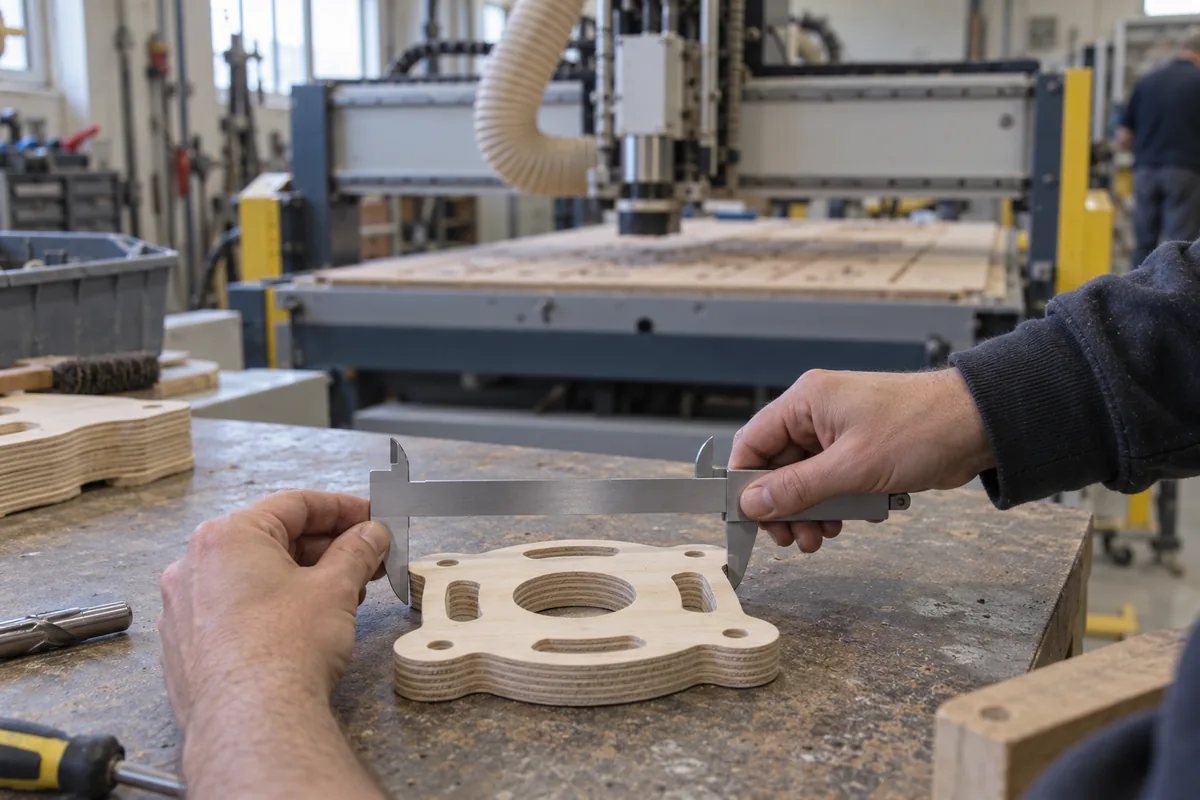
Example of a sample-part measurement. The reading belongs in the trial row with the drawing limit. The gantry in the background is not the evidence.
Record the drawing, setup, observed part and open item under the same trial identity.
Common mistake: Accepting a demonstration made with different stock or omitted operations as proof of the production job. Record and resolve the difference.
Takeaway: The sample-cut record should identify the job, setup, measurements and remaining evidence.
When this does not apply
The cited manufacturers discuss a range of materials, but a material name alone does not establish suitability for your part. Obtain a configuration-specific application review and representative sample cut.
Site safety, dust/fume extraction suitability and operating procedures require the responsible machine and site technical review. Component retrofits need the machine supplier’s compatibility confirmation.
Takeaway: Use the fit check, the scope rows, and the sample record to define the purchase. Use the builder’s manual to run the machine.
Method and sources
Compiled from public manufacturer documentation:
- AccTek size-and-capacity guide: material, workpiece, operation and workspace inputs.
- MultiCam Apex3R Evo product page: concrete examples of collet and ATC spindle, knife/cutting-tool and auxiliary options.
- TechPro router types guide: material/job classification and application distinctions.
Read the editorial policy for evidence distinctions.
Takeaway: Source examples identify options; the project’s drawing and sample cut establish the buying evidence.
Related reading
- ATC spindle selection basics cover the tool, drive, control, and utility records when the offer includes a changer.
- Manufacturing equipment is the parent desk for starting from the part.
- Spindle repair versus replacement is the later cost scope if a spindle fails after the router is in production.